


Meme Color Pro:Color by Number
4.81.75K Reviews
App Specs
- Version
- 1.88.198
- Updated On
- License
- Free
- Downloads
- 1,000,000+
- Developer
- Excellent Coloring Pages
- Categories
- Board
- Platform
- Android
Screenshots
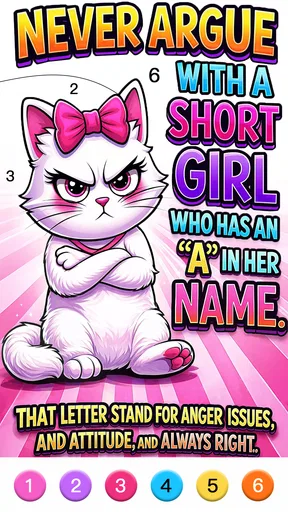

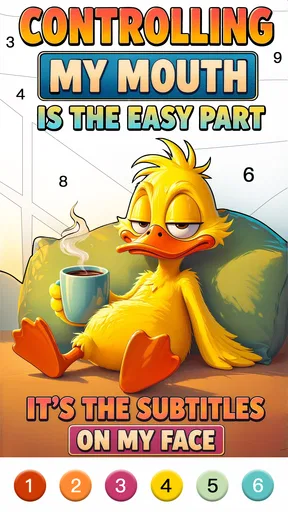
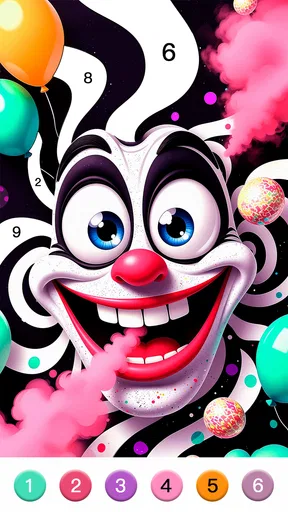
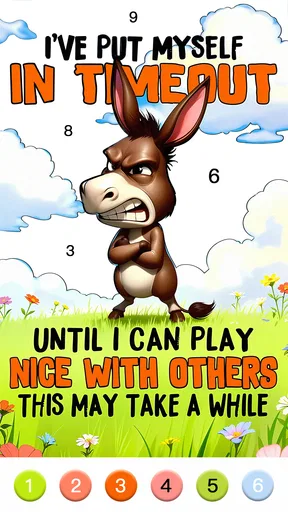
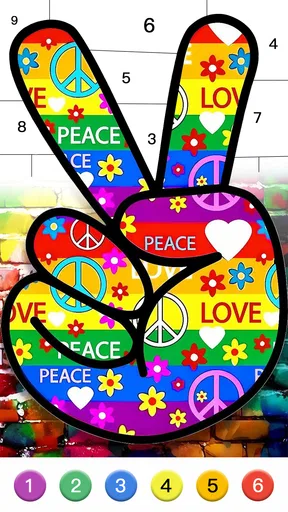
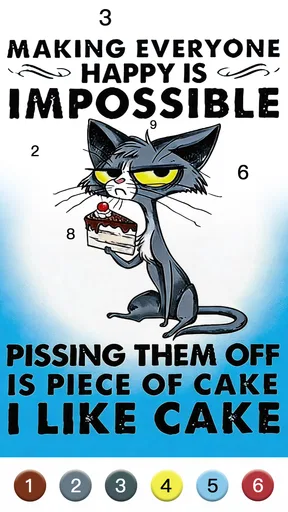
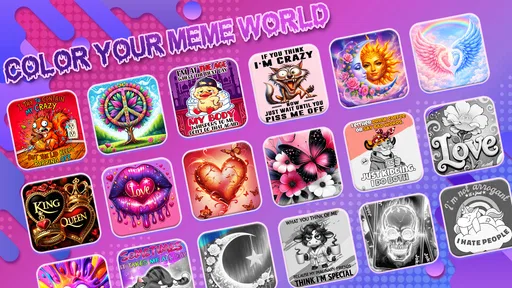
 Analysis by AppCompare
Meme Color Pro: Color by Number is best understood as a casual coloring game with a meme theme, rather than a board game built around turns or strategy. I’d reach for it when I want something low-pressure to do with my hands and attention for a few minutes. The numbered coloring format gives each picture a clear next step, while the familiar internet-humor angle makes the finished images feel less like pages from a conventional coloring book. That combination is the app’s main appeal—and also the reason it won’t suit everyone.
What a quick session feels like
The basic rhythm is easy to grasp: choose an image, find the matching number, and fill its sections. There is little to learn before starting, so the game works well for short breaks when I don’t want to commit to a complicated ruleset. I can see it fitting a commute while waiting for a connection, a quiet stretch between tasks, or a few minutes at home while something else is on. It gives me a small, definite activity rather than asking me to plan a long session.
That simplicity sets expectations for speed. This is not the kind of game where I’d expect elaborate animations or a deep sequence of choices; the pleasure is in gradually completing a picture. On a device that handles ordinary apps comfortably, the straightforward format should feel approachable, but actual responsiveness can vary with the phone and its current workload. I’d judge the pace by how readily the screen responds during your own first session, rather than assume every device will feel identical.
When coloring becomes more involved
A picture can feel more absorbing when it has many small sections to fill. That is useful if I want a longer, calmer activity, but less convenient if I’m trying to finish something during a very brief pause. I’d start a detailed image when I have enough time to settle in, and save quick, interruptible play for moments when I can put the phone down at any point. This is a practical way to keep the game relaxing instead of turning completion into a chore.
The color-by-number structure also changes how I pay attention. Rather than choosing every shade freely, I follow the image’s numbered prompts. That reduces decision-making, which can help when I’m tired, but it offers less artistic control than a blank canvas or free-coloring app. If making my own palette is the whole point, I’d choose a drawing tool instead. If I want a guided task with a recognizable meme at the end, this format makes more sense.
Who is likely to enjoy it
I’d recommend it to meme fans who enjoy coloring but don’t want to invent an image from scratch, and to casual players looking for a gentle activity rather than competition. It may also work for someone who likes completing small visual tasks while listening to a podcast or taking a screen break from more demanding games. The Teen content rating is worth keeping in mind when choosing it for a younger player; it isn’t a label I’d ignore just because the activity is coloring.
On the other hand, I’d skip it if I mainly want strategic board-game decisions, a strong story, or a creative workspace with extensive control over brushes and colors. The meme theme is central, so someone who finds internet humor tiring may get more enjoyment from a general coloring collection. Likewise, players who need a game to provide a complex challenge may find the repeated matching routine too gentle after the novelty wears off.
Worth Reading Before You Choose

EA SPORTS FC Mobile 26 Is a Bigger Football Game, but It Takes Time

Flipboard Shows What News Apps Must Do Beyond the Feed

Switching to Android Auto Means Rethinking Your Driving Routine

Google Calendar Makes a Crowded Week Easier to Manage

Ludo King Makes the Most of the Minutes Between Plans

Baby Panda World Brings Quick Play to Modern Phones, but Its Game Library Feels Busy
How it fits among coloring alternatives
Compared with a standard digital coloring book, this game leans on meme subject matter to make the finished pictures feel playful and shareable. Compared with a conventional board game, it is much more solitary and task-based: there is no strategic contest at its core. That distinction helps me decide whether to open it. I choose it for guided, light coloring; I’d choose a traditional board game for turns and tactics, or a free-drawing app when experimentation matters more than following numbered spaces.
A useful habit is to treat each image as a stopping point rather than assume every session needs to end with a completed page. If I’m short on time, I can make a little progress and return to the activity later when convenient. I’d also try the hint option sparingly: using it when I genuinely lose track can keep the flow moving, while leaning on it constantly would make the matching part feel less satisfying. Those small choices help preserve the relaxed pace that makes the format appealing.
First Impressions and Setup
Downloading Meme Color Pro: Color by Number was a breeze. A quick search on the App Store (or Google Play, for my Android friends) and boom, it was downloaded and ready to go. The app itself is lightweight, so it won't hog up much of your precious phone storage. Once you open it up, you're greeted by a user-friendly interface that's bright and welcoming. Seriously, it's like the app is giving you a warm hug, inviting you to dive right in.
The setup is pretty straightforward. No need to sign up or create an account, which is always a plus in my book. You just open the app, pick a meme, and start coloring. The simplicity is refreshing, and it really lets you focus on the fun part: the coloring!
The Coloring Experience
Here's where the magic happens. The app offers a wide variety of memes to choose from. Whether you're into classic memes like "Distracted Boyfriend" or newer ones like "Woman Yelling at a Cat," there's something here for everyone. The variety keeps things interesting and ensures that you won't get bored anytime soon.
Each meme is divided into numbered sections, and your job is to fill them in with the corresponding colors. It's like a puzzle, except way more colorful. The app provides a palette at the bottom of the screen, making it easy to find the right shade. And if you ever get stuck, there's a handy little hint button to guide you along. I found myself getting lost in the process, my mind focusing solely on matching numbers and colors. It's a surprisingly effective way to unwind after a long day.
Design and Features
The design of the app is sleek and intuitive. The developers have clearly put a lot of thought into making it accessible and enjoyable for users of all ages. The app runs smoothly, with no annoying lags or crashes, which is always a relief.
One of the standout features for me was the ability to share your completed memes directly from the app. You can post them to your social media or send them to your friends for a good laugh. It's a fun way to spread a little joy and show off your coloring skills at the same time.
The Social Element
Another cool feature is the community aspect. Within the app, there's a section where you can see what other users have created. It’s like a virtual gallery filled with hilarious, colorful memes. You can even give them a thumbs up if you like what you see. This adds a nice social element, turning what could be a solitary activity into a shared experience.
Practical expectations before installing
The game is free to download, and it has optional in-app purchases priced from under a dollar to just under sixty dollars per item. I’d treat those as a reason to check any purchase prompt carefully, especially if a child will be using the phone. A free starting point makes it easy to see whether the coloring loop clicks before spending anything, but the range means it is sensible to know who can approve purchases on the device.
There is a strong audience signal here: Meme Color Pro has an average rating of 4.8 from around twelve thousand ratings, and it has been installed over a million times. Those figures suggest plenty of players have found it appealing, though they cannot tell me whether its humor or pace will match your taste. I’d use them as context, not as a substitute for trying a picture yourself.
Keeping the experience comfortable
Coloring games can be deceptively demanding on the eyes when the work involves many small numbered areas. I’d use a comfortable screen brightness and take a pause if I notice myself squinting or tapping impatiently. This is particularly useful for evening play: the calm pace may feel relaxing, but staring at a phone for too long can undo that benefit. The game is more enjoyable as a short, optional pastime than as something I feel obliged to finish in one sitting.
For a busy day, I’d make a simple choice before opening it: do I want a quick distraction, or do I have time to focus on a picture? That small distinction helps avoid starting an intricate image at the exact moment I need to leave. It also makes the app easier to fit around real life, because progress can be the point even when a finished image is not.
Performance and device fit
The game is developed by Excellent Coloring Pages, and its current version is 1.87.140. It requires Android 7.0 or later, so older Android phones below that minimum are not a fit. The version requirement is only one part of the decision: available storage, screen responsiveness, and how many other apps are active can all affect the feel of play. I would close unusually demanding background apps if the phone seems sluggish, then test a simple coloring session before deciding whether the experience is comfortable.
I wouldn’t promise that every session will be equally smooth on every device. My practical test would be to open a picture, try selecting several numbered areas, and see whether the controls keep up without frustration. If the screen feels cramped or taps are difficult to place, a larger display may make detailed coloring easier. If the phone heats up, slows down, or interrupts the session, I’d stop and return later rather than push through; a light puzzle should not feel like work.
What to expect when returning
A common question with any casual coloring game is whether it suits interrupted play. The format is naturally easy to pause in spirit, since each action is a small fill rather than a long turn that depends on other players. I’d still check how it behaves on your particular device if you often switch apps mid-picture. When you return, take a moment to orient yourself by the active color and unfinished sections instead of tapping quickly; that avoids stray fills and keeps the activity calm.
Another practical question is whether it is a good choice for sharing. The original appeal includes finished meme art that can be shown to friends, so it can provide a small conversation starter after a picture is complete. I’d use that as an optional extra, not the main reason to install it: someone who never shares images can still enjoy the color-matching task, while someone seeking a full social game may want a more interactive option.
Final Thoughts
In a world where stress seems to be around every corner, Meme Color Pro: Color by Number offers a delightful escape. It's simple, it's fun, and it's downright addictive. Whether you're a meme enthusiast, a coloring fanatic, or just someone looking for a way to chill out, this app is definitely worth checking out. So why not give it a try? You might just find that it's the colorful break you never knew you needed.
My overall recommendation is narrow but genuine: try it if you like familiar meme imagery and want guided coloring without a steep learning curve. I would not pick it as my main game for strategic depth or as my only creative tool, but it can earn a place among low-effort breaks. The best test is a short session on your own phone; if matching colors feels soothing rather than repetitive, its focused little routine is doing exactly what it should.
Pros
- User-friendly interface for easy navigation.
- Wide variety of colorful templates.
- Regular updates with new content.
- Offline mode available for convenience.
- Supports sharing creations on social media.
Cons
- Limited free content; in-app purchases needed.
- Ads can be intrusive during use.
- No custom image import feature.
- Some users report occasional app crashes.
- Limited color palette in free version.
FAQs for Meme Color Pro:Color by Number
What is Meme Color Pro: Color by Number?
Meme Color Pro: Color by Number is a creative app that allows users to color various meme templates by numbers. It offers a wide range of meme designs to choose from, making it a fun and relaxing way to enjoy coloring while indulging in meme culture.
Is Meme Color Pro free to use?
Meme Color Pro offers a free version with limited features and designs. However, for access to a broader selection of memes and advanced features, users can opt for in-app purchases or a subscription plan, which enhances the coloring experience.
What are the main features of Meme Color Pro?
Meme Color Pro includes a vast library of meme templates, an easy-to-use interface, and a color-by-number system that simplifies the coloring process. It also offers regular updates with new memes, a zoom function for detailed work, and the ability to share finished creations on social media.
Does Meme Color Pro require an internet connection?
While Meme Color Pro can be used offline to color downloaded templates, an internet connection is necessary to access new meme packs, receive updates, and sync progress across devices if you have an account. Online features enhance the overall experience.
Can I share my colored memes on social media?
Yes, Meme Color Pro allows users to easily share their completed meme artworks on various social media platforms. This feature is integrated into the app, enabling users to showcase their creativity and engage with friends and followers directly from the app.


